How to Reduce No-Shows with Online Booking and Reminders
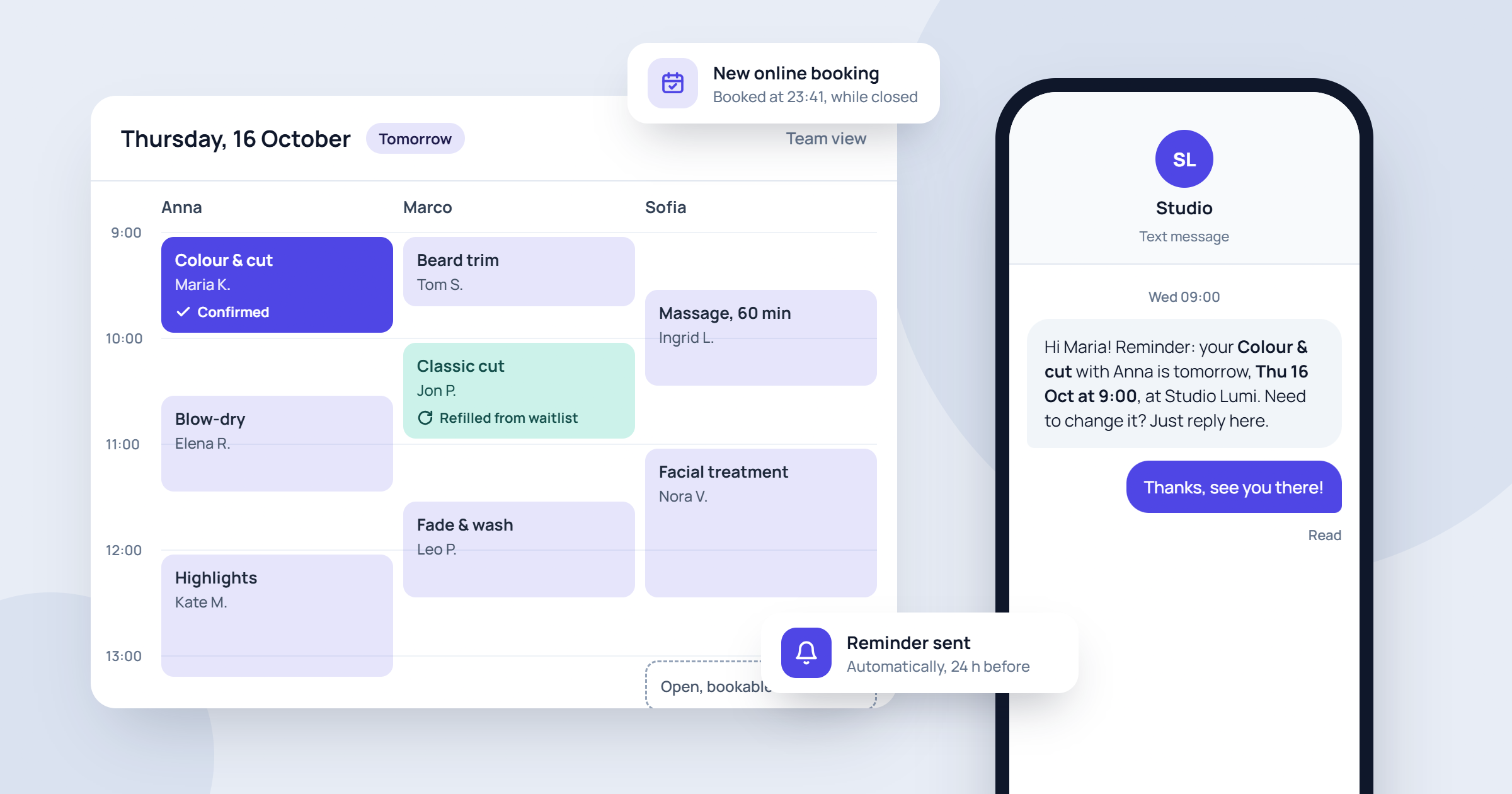
A client who doesn't show up costs you more than one fee. The chair stays empty, your staff are paid to wait, and someone else who wanted that time slot was turned away. If you run a salon, clinic, spa or any other appointment-based business, no-shows are a normal part of the job. You can still cut them down a lot. In 2026, most clients expect to book online and get a reminder before their appointment. This guide covers practical steps to reduce no-shows, starting with how clients book and ending with how you track the results.
Why clients miss appointments
Before you fix the problem, it helps to know where it comes from. Most no-shows aren't rude. They usually come down to a few simple reasons:
- They forgot. An appointment booked three weeks ago is easy to lose track of in a busy week.
- The booking felt casual. A quick "see you Tuesday" on the phone, with nothing in writing, doesn't feel like a real commitment.
- Their plans changed and cancelling felt like a hassle. If the only way to cancel is calling during opening hours, some people just don't turn up.
- They weren't sure about the details. Wrong day, wrong time, or wrong location if you have more than one.
- Nothing was at stake. If missing an appointment costs nothing, it's easier to skip.
Each of these reasons has a practical fix. The sections below go through them one by one.
Make booking clear and easy with online booking
The way a client books shapes how committed they feel. When clients choose a time themselves from your real schedule, they pick a slot that suits them, so they're more likely to keep it. Compare that with a time squeezed in during a rushed phone call.
With timedule's online booking, you add a booking link wherever your clients already find you: your website, your social media profiles, your email signature or a message reply. Clients see your available times, choose a service and staff member at their own pace, and book whenever it suits them, including outside opening hours. Every booking ends up in writing, with the date, time, service and details in one place.
A few tips to get the most out of online booking:
- Write clear service names and descriptions. "Colour and cut, about 2 hours" sets better expectations than "Colour."
- Put the booking link everywhere. The easier it is to book online, the fewer vague phone bookings you'll take.
- Make your booking page look like your business. In timedule you can change how your booking page looks, so clients know they're booking with you and trust the process.
Send appointment reminders by SMS and email
If you only change one thing, set up appointment reminders. Forgetting is the most common reason for no-shows, and a well-timed reminder deals with it directly. Doing this by hand, by calling or texting every client the day before, takes up staff time and gets skipped on busy days. Those busy days are exactly when you need reminders most.
With timedule's reminders, you write the text once and the system sends an email or SMS message to the client at the right time. Nobody has to remember to do it, and every client gets the same consistent message.
Write reminders that actually work
A good reminder is short and complete. Include:
- Your business name, so the message is easy to recognise
- The service, date and time
- The location, especially if you have more than one
- Anything the client needs to do beforehand, such as arriving 10 minutes early, bringing documents, or not eating before a procedure
- How to contact you if they need to change the appointment
Because the reminder text is fully customisable in timedule, you can write it in your own tone, whether that's friendly and casual for a barbershop or calm and clear for a clinic.
Choose the right timing and channel
SMS reminders tend to get read quickly, so they suit short-notice reminders. Email works well for longer instructions. Many businesses send a reminder a day before. That way the client has time to rearrange plans or let you know they can't come, and you have time to fill the slot. Try a few timings and see which suits your clients best.
Make booking easier for your clients
Let clients book online 24/7, send automatic reminders and cut no-shows. Set up your booking page in minutes.
No credit card required
Make it easy to cancel or reschedule
This sounds backwards, but making cancellation easy reduces no-shows. A client who can't make it will usually tell you if it's simple to do. If it isn't, they often just stay home. A cancellation with notice is far better than an empty chair, because you can offer the time to someone else.
- Put a clear contact method in every confirmation and reminder.
- Tell clients plainly that you'd rather hear from them than have them not show up.
- When a slot frees up, act fast. Keep a list of clients who asked for an earlier time and contact them.
Reacting quickly is easier when you can see your schedule at any moment. In timedule you get an up-to-date overview of your whole team's bookings and can manage them with a click. The timedule mobile app, available in the Apple App Store and Google Play store, lets you check current and incoming bookings from your phone, even when you're away from the front desk.
Set a clear policy and consider online payments
A written no-show and late-cancellation policy tells clients that your time has value. Keep it short and fair. For example: "Please give us at least 24 hours' notice if you need to cancel. Missed appointments may be charged." Show it on your booking page and mention it in your reminder text, so nobody is surprised.
For high-value or long services, such as colour treatments, longer clinic sessions or first-time consultations, asking for payment upfront raises the commitment considerably. timedule supports online payments through providers such as PayPal and Square, so clients can pay when they book with just a few clicks. You don't have to ask for prepayment on every service. Many businesses use it only for the appointments where a no-show would hurt most.
Be consistent. A policy you enforce for some clients and ignore for others quickly stops working.
Track no-shows and learn from your data
You can't improve what you don't measure. Keep track of how many appointments are missed and look for patterns. Are no-shows more common on certain days, at certain times, for certain services or with certain staff? For example, if you notice that early Monday slots are often missed, you might send reminders for those appointments a little earlier, or ask for prepayment on them.
timedule's statistics give you an overview of your work. Choose a time period, employees, services or a location and see how your business is doing. Checking these numbers regularly shows you whether your changes are working and where to focus next.
Pay attention to individual clients too. If one client misses repeatedly, have a friendly conversation with them, or ask them to pay upfront for future bookings.
Conclusion: fewer empty slots, less stress
No single trick will get rid of no-shows completely, but a few habits together make a real difference. Let clients book online so every appointment is clear and in writing. Send automatic SMS and email reminders. Make it easy to cancel in time, set a fair policy, use online payments where it matters, and track the results. Your schedule gets fuller, your team spends less time chasing clients, and your income becomes more predictable.
If you want to put this into practice without extra admin, try timedule. You can set up your booking page and reminders and start cutting no-shows this week.
Ready to dive in?Start your free trial today.


Footer
Making the world a better place by making booking easier.
Start your free trialSolutions
© 2022 OÜ Vessent Inc. All rights reserved.