Car service and repair booking system
Customers book servicing, repairs and tyre changes online. timedule offers only times when a mechanic and a lift or bay are both free, and asks for the registration number while they book.
Built for car services, repair shops and tyre shops
Tyre changes, servicing and repairs booked into the right bay
In tyre season the phone never stops, and every call is the same question: when can I come? With timedule’s online booking software, customers pick a free time themselves, with the right length for the job, so your workshop runs on a plan instead of a queue. Diagnostics and repairs fit into the same day plan.
Jobs with realistic durations
- Set up tyre change, wheel balancing, oil change or air-conditioning service, as well as diagnostics, periodic servicing, brake work and pre-inspection checks, with the time each one really takes. Use a “price from” where the final price depends on parts.
Lifts and bays, not just mechanics
- Add each lift and tyre bay. A time is offered only when a mechanic and a suitable bay are both free, so the calendar never promises more cars than the workshop can take.
Car details with the booking
- Add questions to the booking form, such as registration number, make and model or tyre size, so you can prepare the right tyres or parts before the car arrives.
Reminders in busy season
- Automatic SMS and email reminders before each visit, with a link to cancel, keep the schedule full when demand is highest. Want payment in advance? Turn it on and take the full price or a deposit online.
Lifts and bays
One car per lift, never two
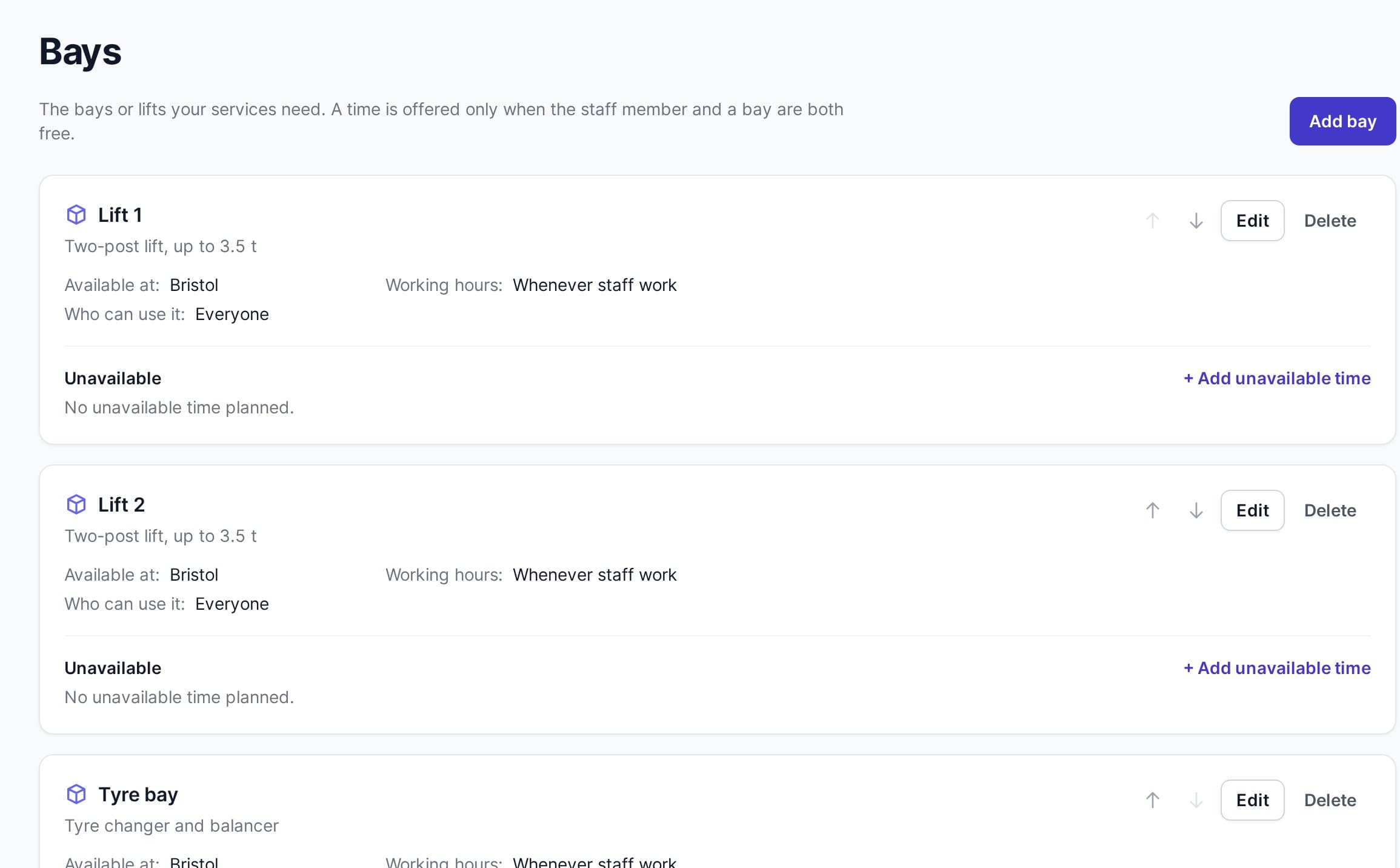
Add your lifts and bays once. When a job is booked, online or by your staff, timedule gives it a bay that is free for the whole job. When every suitable bay is taken, that time is simply not offered.
- Choose which jobs need which bay: tyre work in the tyre bay or on a lift, servicing only on a lift.
- Mark a lift unavailable for maintenance, or give a bay its own hours, and no jobs are booked onto it.
- See the day bay by bay in your calendar, and when you book a job yourself, leave the bay on Automatic or pick one.
Car details
Know the car before it rolls in
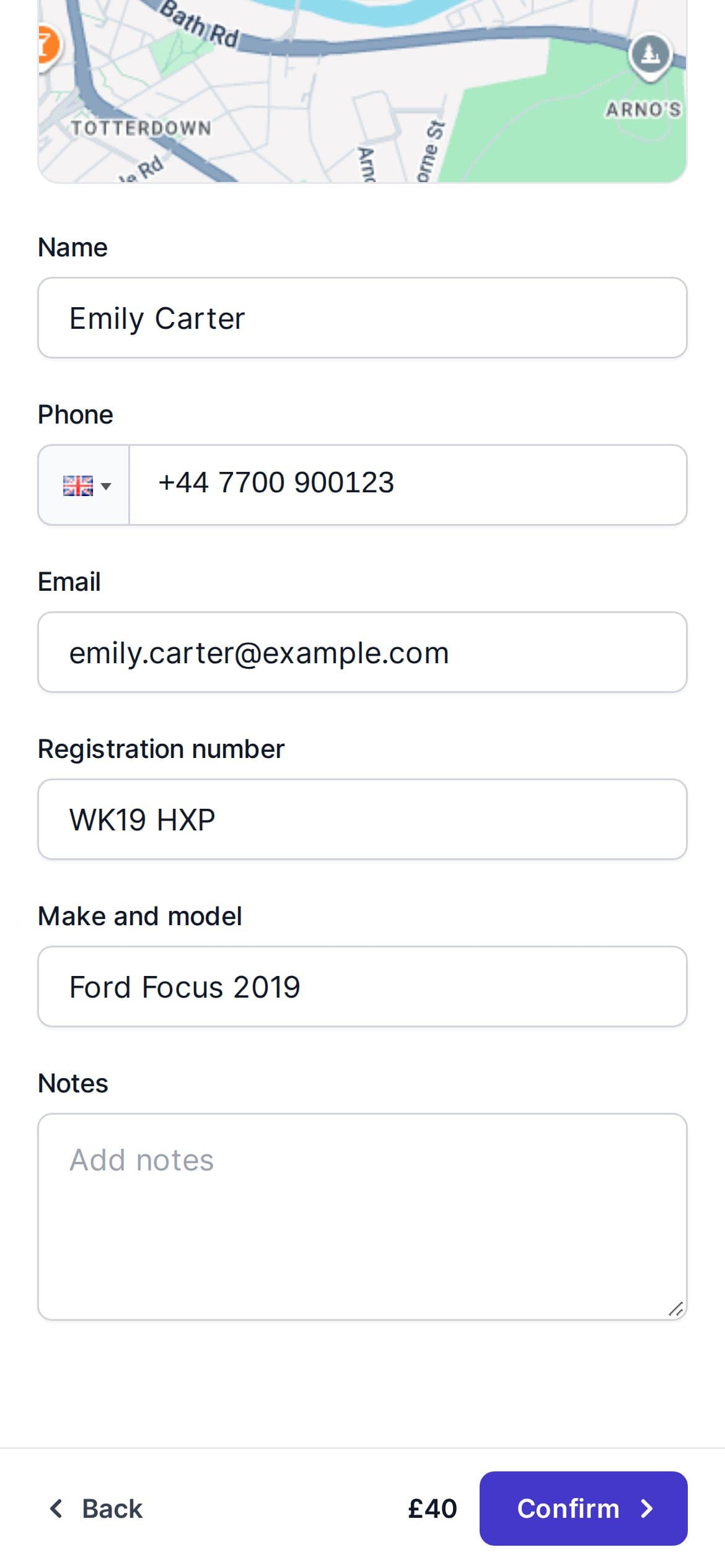
Add your own questions to the booking form. Customers type in the registration number and the car they drive, and you see the answers with the booking.
- Registration number, make and model, tyre size or mileage: ask what your workshop needs
- Make a question required, so no booking arrives without the registration number
- The answers are in the booking details and in the new-booking email you receive
Your booking page
Customers book the right job themselves
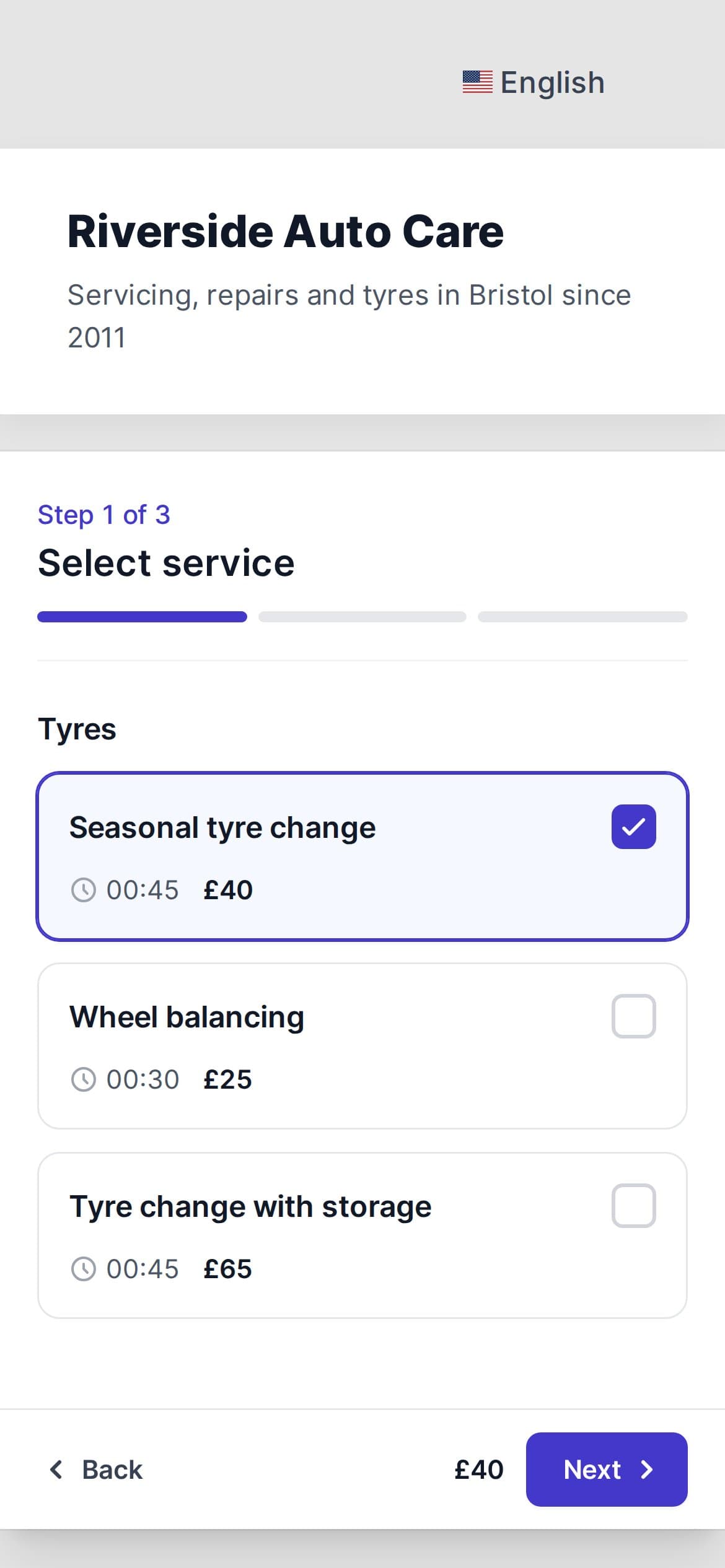
Your services, grouped the way customers look for them, each with its duration and price. Customers pick one, choose a free time and get a confirmation straight away.
- Tyres, servicing and repairs in separate groups, with a “from” price where parts vary
- Stop same-day bookings and limit how far ahead customers can book
- Works on any phone, and on your website, Facebook page or Google profile
How it works
Taking bookings in an afternoon
No installation and no setup fee. Everything a car service needs is in the free trial.
Read: how to organise bookings in tyre season- 1
Add your jobs and mechanics
Start your free trial, add the services you offer with their durations and prices, and your mechanics with their working hours.
- 2
Turn on lifts and bays
In Settings → Features, switch on bookable resources and call them Bays. Add your lifts and bays, choose the jobs that need them, and add a registration number question to the booking form.
- 3
Share your booking link
Put your booking page on your website, Facebook or Google profile. Customers book, pay if you like, and get reminders.
No credit card required
Everything else your workshop needs to take bookings
Our software has everything needed to help your customers buy your services while helping you run and scale your business further.
Online booking
- A flexible booking system saves time. Simply add a booking link, and everyone saves time - you and your customers.
Keep track of your bookings
- Now it's even easier to manage your reservations. Our booking software ensures you don't lose a happy customer.
Reminders
- A simple and reliable scheduling system ensures that all of your clients will show up.
Statistics
- timedule offers advanced analytics so you can learn more about your customers and your business.
Online payments
- Easily take online payments from your clients. Connect PayPal, Stripe, Square or Dragonpay and accept payments with just a few clicks.
Customization
- You can customize everything! You can start off with your booking's reminder text and go all the way up to how your booking page looks.
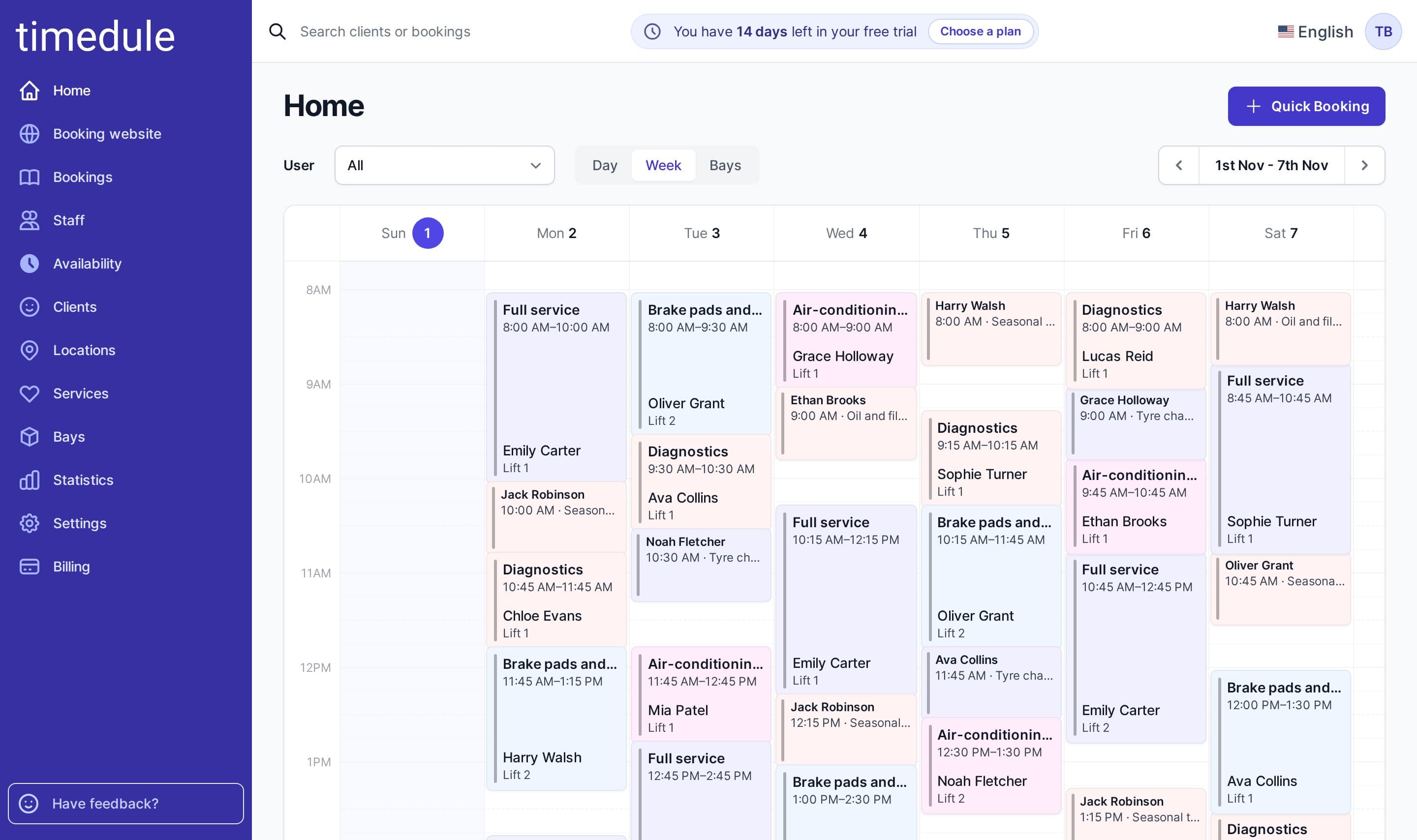
Put your mechanics, lifts and customers in one calendar
Pricing
Simple no-tricks pricing
Every plan includes every feature. You only choose how many staff members take bookings.
- Every feature in every plan
- No commission on bookings
- Start your free 14-day trial, no credit card necessary.
How many staff members take bookings?
Enterprise
For larger organisations
- SAML SSO
- Two-factor authentication
- SLA agreement
- And more — we’ll customise it for you
What timedule users say
Our product saves hundreds of hours for both large and small businesses.
Guides for your business
Booking software for similar businesses
Ready to dive in?
Start your free trial today.
Try our online booking software, and see how easy it is to manage your appointments.